Planned Maintenance (PPM) Software for Air Con and Heat Pumps
Sell a service plan at handover. When a visit's due it becomes a job the customer books. See what's due, overdue and not booked.
See pricing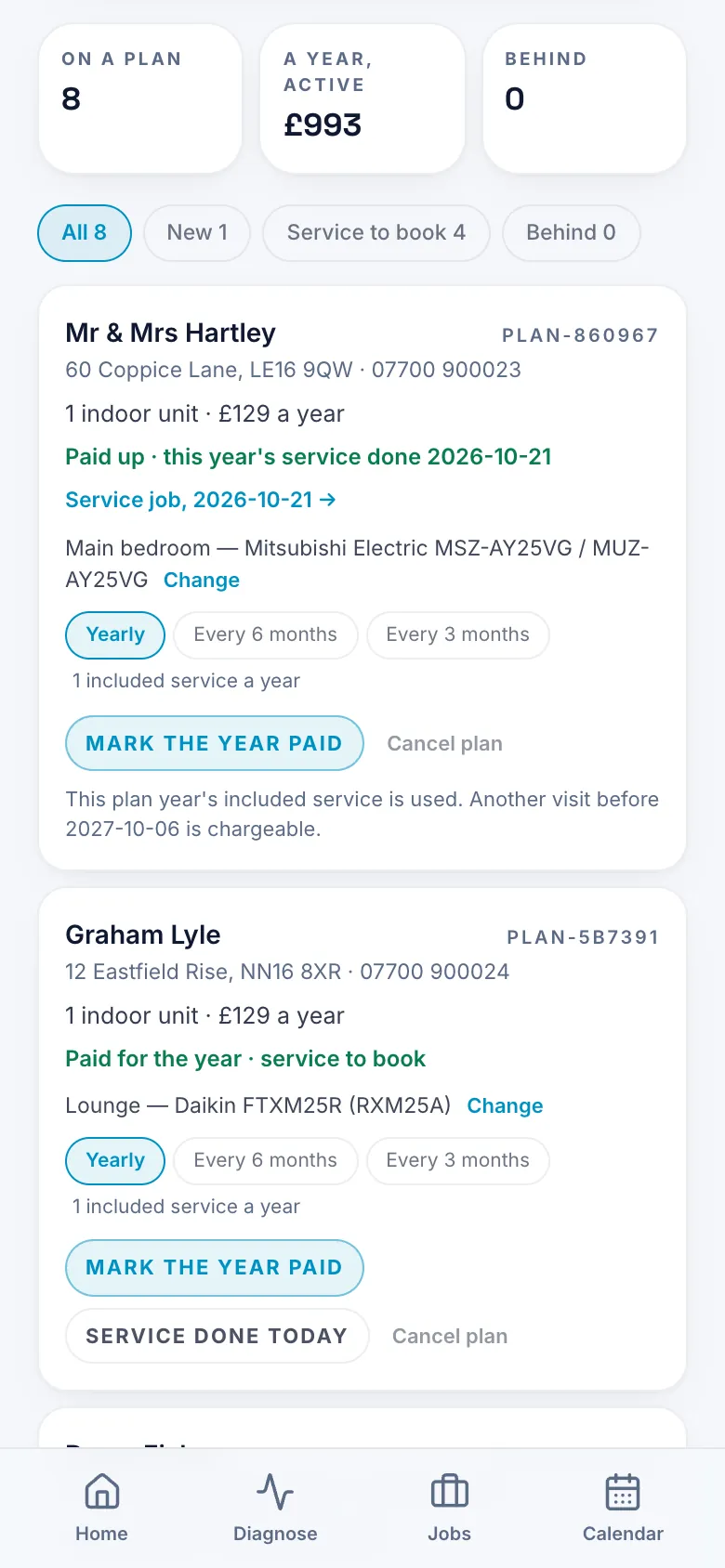
What it does
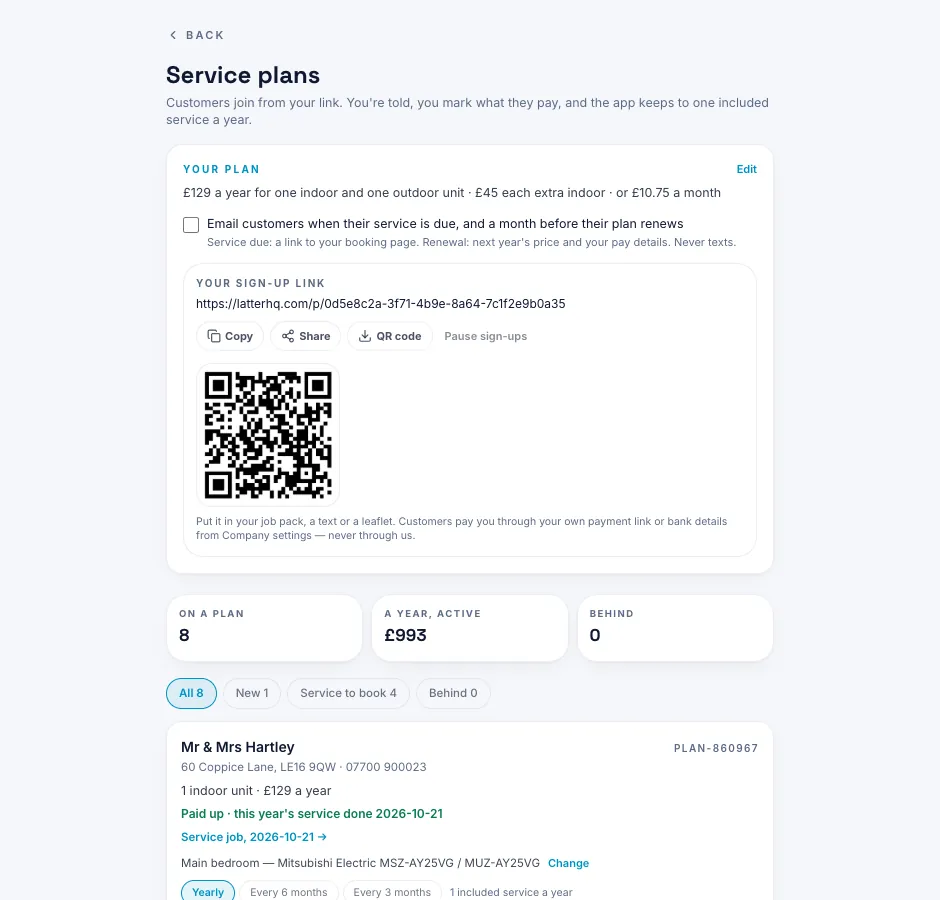
- Sell a service plan at handover: the plan page in the job pack carries a QR to the customer's sign-up page.
- When a visit's due, it becomes a job waiting for a date, before the 'your service is due' email goes.
- The email links to your booking page, and the booking lands on the job that's waiting for it.
- See what's due this month, what's overdue and what's not booked in yet.
Which plan
BusinessBusiness.
The customer's sign-up page only works while your firm's Business plan is on.
Business is £29.99 a month for the owner and 2 engineers, then £9 a month for each engineer after that. New accounts get the first month free, with no card needed.
Engineers on a Business firm sign in with the login their firm gives them.
Questions
How does a customer join a plan?
The plan page in the handover pack has a QR. They scan it and sign up on their phone.
Do I have to remember who's due?
No. Each due visit becomes a job waiting for a date, and the customer gets a 'your service is due' email that links to your booking page.
How does the customer book the visit?
From your booking page: they pick a free slot and send it, and you confirm it in the app. The booking lands on the job that's already waiting. If your booking page is off, the email asks them to reply with days that suit.
Where do I see what's overdue?
In the CRM's service visits: due this month, overdue, and not booked in yet. The plans list shows who's on a plan and who's behind.