Invoicing app for AC and heat pump engineers
The invoice comes off the job's own lines. VAT shown when you're registered, how to pay printed on it, deposits taken off once paid. Your name, not ours.
See pricing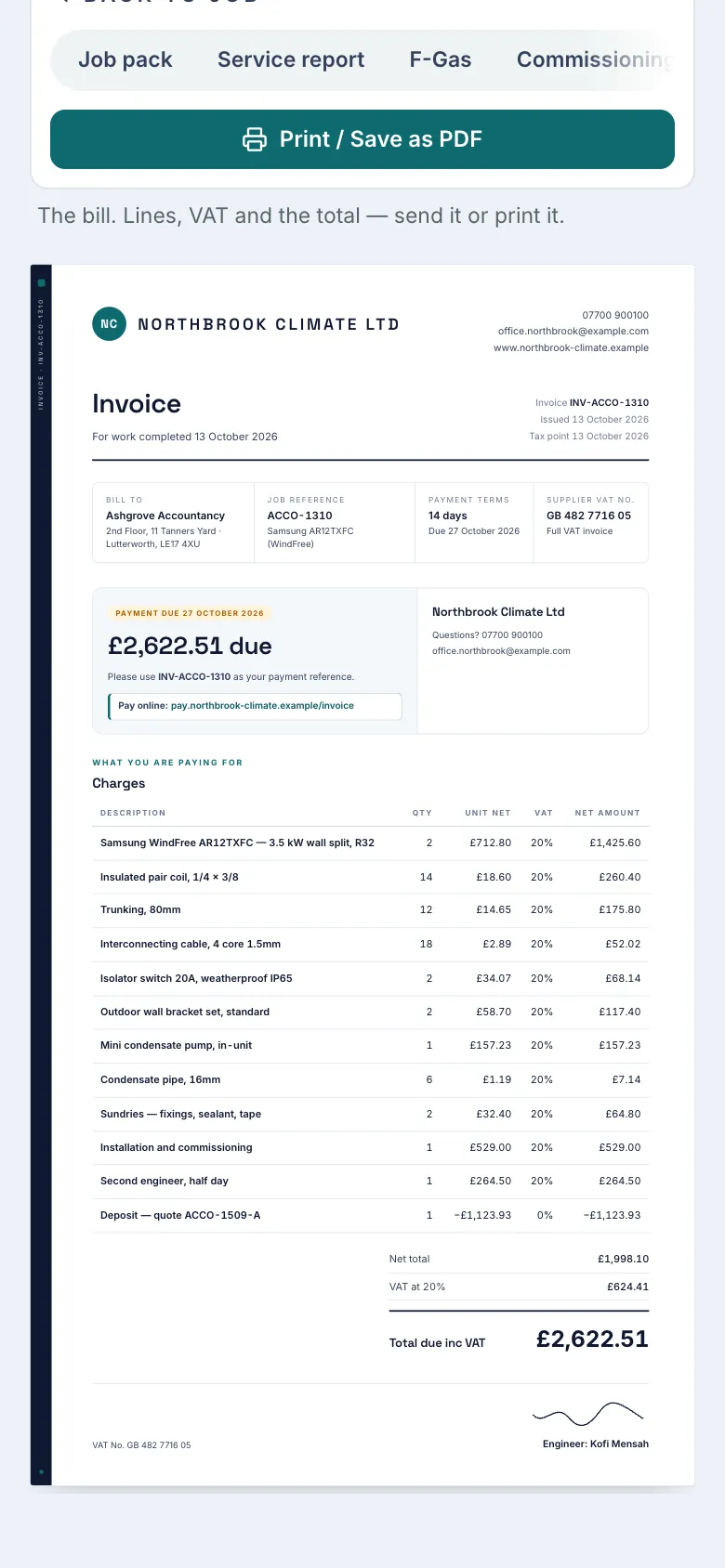
What it does
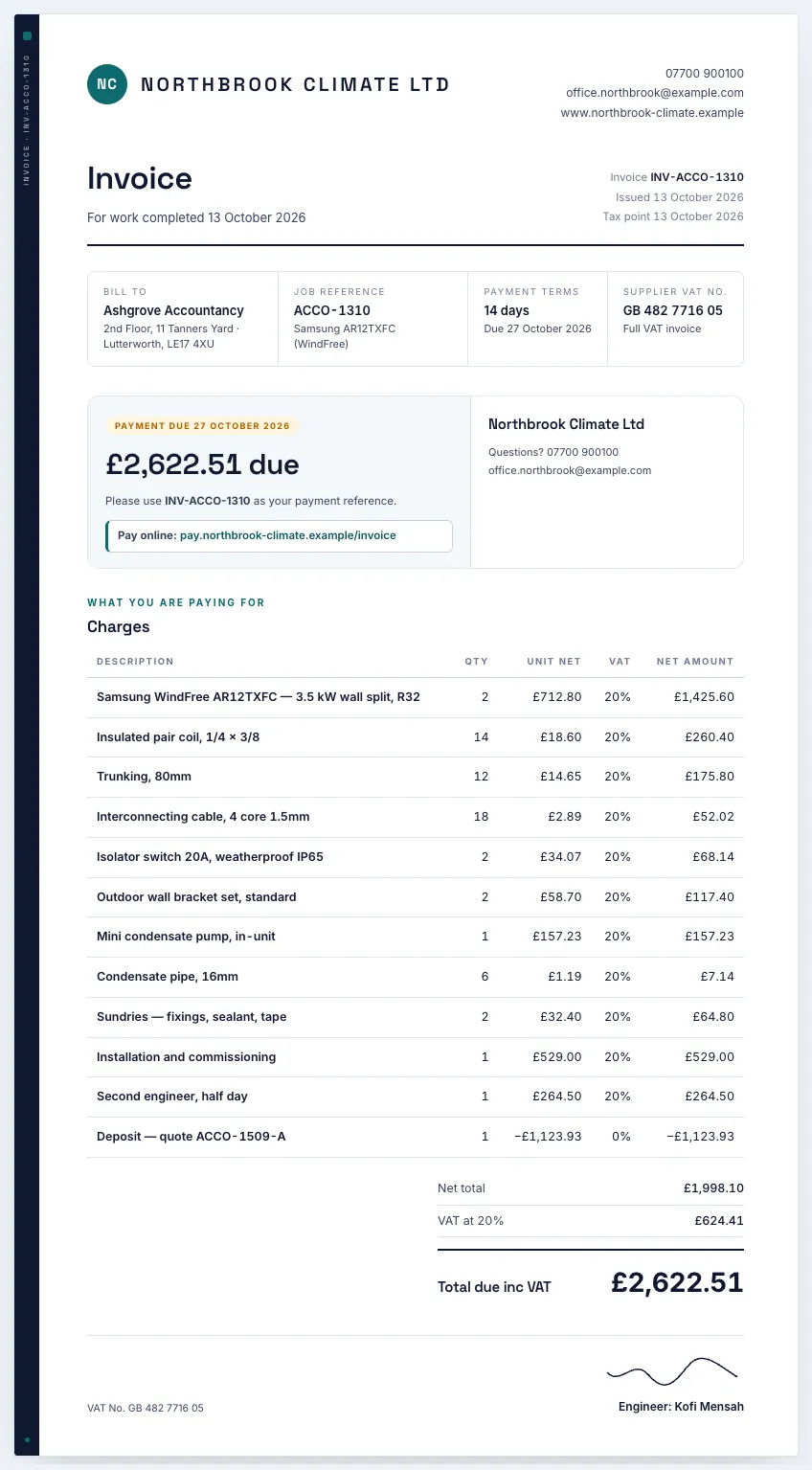
- The invoice comes off the job's own lines, including anything you added on site.
- Numbered in sequence for the whole firm, from your own prefix and first number. VAT shown with the rate and your VAT number when you're registered.
- How to pay printed on it: your bank details with the invoice number as the reference, or your own pay link.
- Record what they paid: the deposit, more, or the lot. The invoice shows what's left to pay. Your logo and name on it, not ours.
Which plan
ProPro, for the owner. On a Business firm, engineers never see the invoice.
Pro is £9.99 a month, or £99 a year, on the launch rate. New accounts get the first month free, with no card needed.
Pro is bought in the app. The App Store shows the price before you confirm.
Questions
Do I have to type the invoice up?
No. It's built from the lines already on the job, so what you quoted and added on site is what you bill.
I'm not VAT registered. Does that matter?
No. Leave the VAT number blank in Company settings and the invoice says 'No VAT applied', with no VAT line. Add your VAT number and it shows the rate and your number.
How does the deposit come off?
A deposit from an accepted quote goes on the install invoice as pending. When you record what the customer paid (the deposit, more than the deposit, in full, or not paid), it comes off the bill and the invoice shows what's left to pay.
How does the customer know how to pay?
It's printed on the invoice: your bank details with the invoice number as the reference, or your own pay link, from Company settings. If you haven't set either, the app warns you on screen. On Business, invoices still to pay also show on the customer's account page.
Are the invoice numbers in order?
Yes. Each invoice takes the next number when it's first sent, one run for you and your team. You set the prefix and the first number in Company settings. Invoices already sent keep their numbers.